 By Claire Whitaker
Updated November 2026
The coffee gator digital scale is a small kitchen-style scale aimed at home brewers who want to weigh coffee and water instead of measuring by scoop. Weighing gives you a repeatable dose and ratio, which is the simplest way to get the same cup twice. Whether any specific model fits you depends on what you brew and how precise you need to be.
Why weighing beats scooping for a coffee gator digital scale setup
Scoops measure volume, and volume shifts with grind size, roast age and how tightly the grounds are packed. Two scoops of a light roast can weigh noticeably more or less than two scoops of a dark roast. A digital scale removes that guesswork by measuring mass, so a 15-gram dose stays 15 grams whatever the grind looks like.
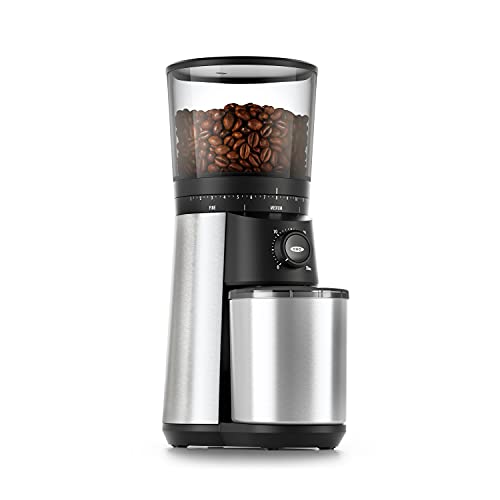
Shopping for one? See our guide: OXO Conical Burr Coffee Grinder with Integrated Scale: 7 Best Picks (2026).
Factors to check before you buy
When you evaluate a coffee gator digital scale or any comparable model, focus on a few specifications rather than marketing language:
- Readability: Many home brewing scales display in 0.1 gram steps. That is enough for dosing 15 to 20 grams of coffee and measuring water by the gram.
- Capacity: Pour-over and drip brewing usually need up to about 1 kilogram. Scales with a larger range suit batch brewing or cold brew.
- Timer: A built-in timer helps you track bloom and total brew time without a second device.
- Surface and footprint: A flat, wide platform is easier to use under a dripper or pitcher than a narrow one.
- Auto-off and calibration: Auto-off saves batteries. Calibration lets you reset the zero point with a known weight.
How to use a digital scale for a consistent brew
A scale only helps if you use it the same way each time. Start with a fixed ratio, such as 1:16 (1 gram of coffee to 16 grams of water), and adjust from there.
- Place your empty brewer or carafe on the scale and tare to zero.
- Weigh the coffee dose, for example 15 grams, and grind it to your target size.
- Place the brewer on the scale, tare again, and add hot water up to the target weight, for example 240 grams.
- Start your timer as the first water hits the grounds. Note the bloom and total time.
- Write down the dose, water weight, grind setting and total time so you can adjust one variable at a time.
If the coffee tastes sour, try a finer grind or a slightly longer brew. If it tastes bitter or hollow, go coarser or shorten the brew. For more on those patterns, see Why Your Coffee Tastes Sour or Bitter (and How to Fix It).
Tips for getting reliable readings
- Keep the scale on a level, hard surface; a wobbly counter throws off readings.
- Keep it away from heat and steam, which can affect the sensor.
- Tare after placing every container, not just once at the start.
- Replace batteries when the display dims or readings drift.
For a broader comparison of kitchen and brewing scales, read Espresso Scale vs Kitchen Scale for Coffee and Coffee Scale with Timer: How to Brew Consistent Coffee Every Time.
What we’d use
If you want a scale with a built-in timer and a flat platform for pour-over, look for a dedicated pour-over scale with timer.
If you prefer a compact kitchen option for dosing and basic water weights, a simple 0.1-gram digital kitchen scale covers most home needs. View on Amazon
FAQ
Is a coffee gator digital scale accurate enough for home brewing?
For most home brewing, a scale that reads in 0.1-gram steps is precise enough. Calibrate it with a known weight and check it periodically.
Do I need a timer on my coffee scale?
A timer is not required, but it helps you track bloom and total brew time, which makes changes easier to repeat.
What ratio should I start with?
A ratio of about 1:16 is a common starting point for pour-over. Adjust the grind first, then the ratio, based on taste.
Related reading
- Kitchen Scale for Coffee: A Step-by-Step Guide to Consistent Brews (2026)
- How to Evaluate Coffee Scales, Frothers and Espresso Tools
- Hard Water and Your Coffee Maker: Scale, Taste and Fixes
Ready to choose one?
About Claire Whitaker
Claire Whitaker is part of our editorial team and reviews and edits our coffee gear & accessories guides, checking product details against manufacturer specifications and owner feedback.